Log the work. Verify the hours. Get paid accurately.
Work Logs capture exactly what your team worked on, task by task. Timesheets collect those entries into a weekly picture — reviewed, submitted, and approved before anything hits an invoice.
Two things. One workflow.
Work Logs and Timesheets are separate but connected. Understanding both is the key to accurate billing.
Work Logs
The individual time entry
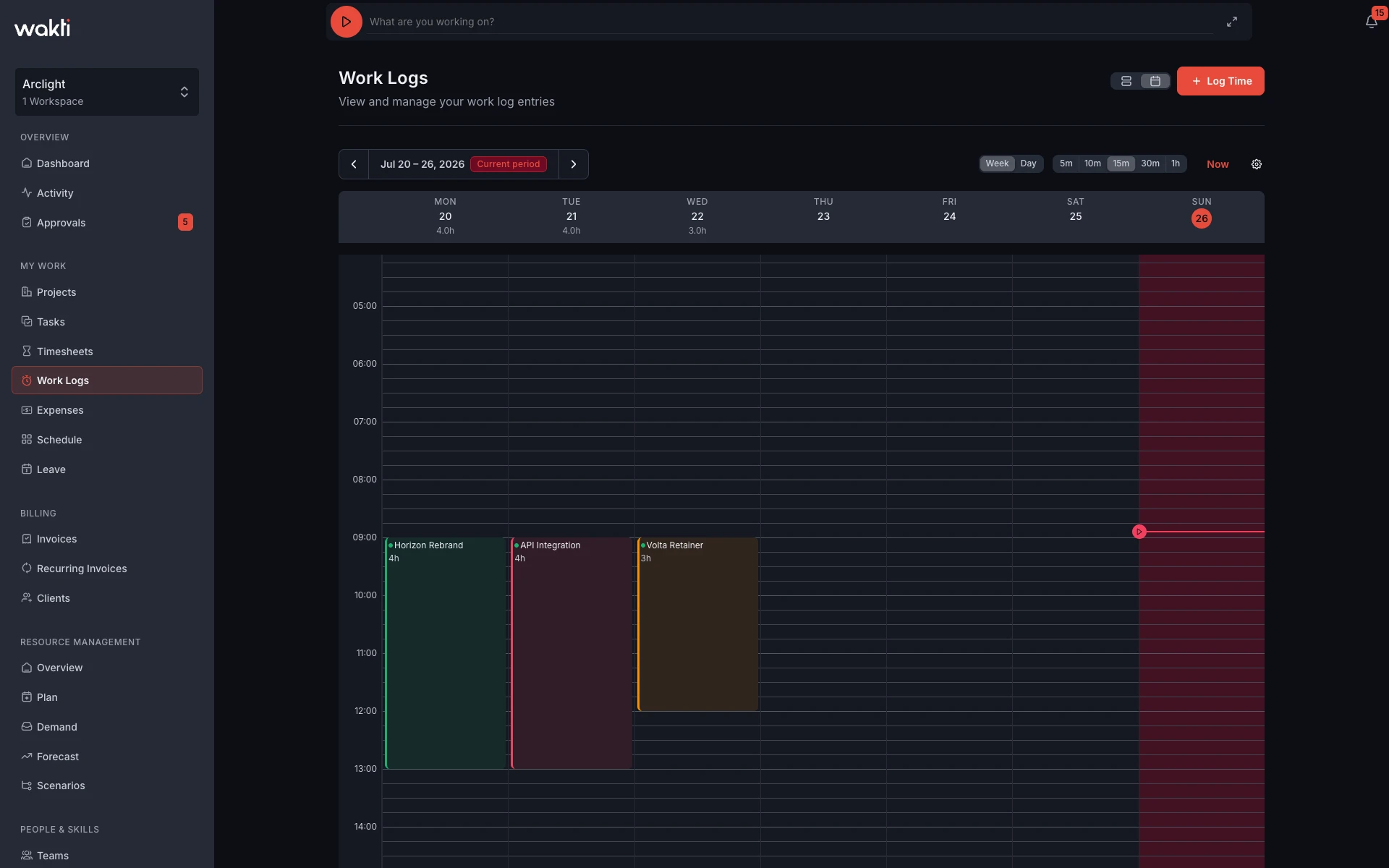
Each Work Log is a single record of time spent on a task. You pick the project, pick the task, enter how long you worked, mark it billable or non-billable, and add notes about what you actually did. Work logs can be created for any date — not just today.
- One entry per task per session
- Captures project, task, duration, and notes
- Billable/non-billable flag set at log time
- Inherits bill rate and cost rate from the task
Timesheets
The weekly verification
A Timesheet is a week's worth of Work Logs collected in one place. Before the week is submitted, the team member reviews every entry — correcting mistakes, filling gaps, and verifying hours. Once satisfied, they submit the timesheet. A manager then reviews and approves or sends it back.
- One timesheet per person per week
- Shows all work logs for that week in a daily grid
- Submitted by the team member when ready
- Approved or rejected by a manager
Log exactly what you worked on — not just how long
Wakti captures the story behind every hour, not just the number. Every Work Log links to a specific task, records the duration in hours and minutes, and includes a notes field where team members describe what they actually did. That context is what makes client billing defensible and project reviews useful.
- Link to any task in any active project
- Enter hours and minutes — not just decimals
- Add free-text notes describing the work done
- Bill rate and cost rate auto-filled from task config
- Billable flag set explicitly per entry — override the inherited rate anytime
- Log for any date, not just today
Review the week before it becomes an invoice
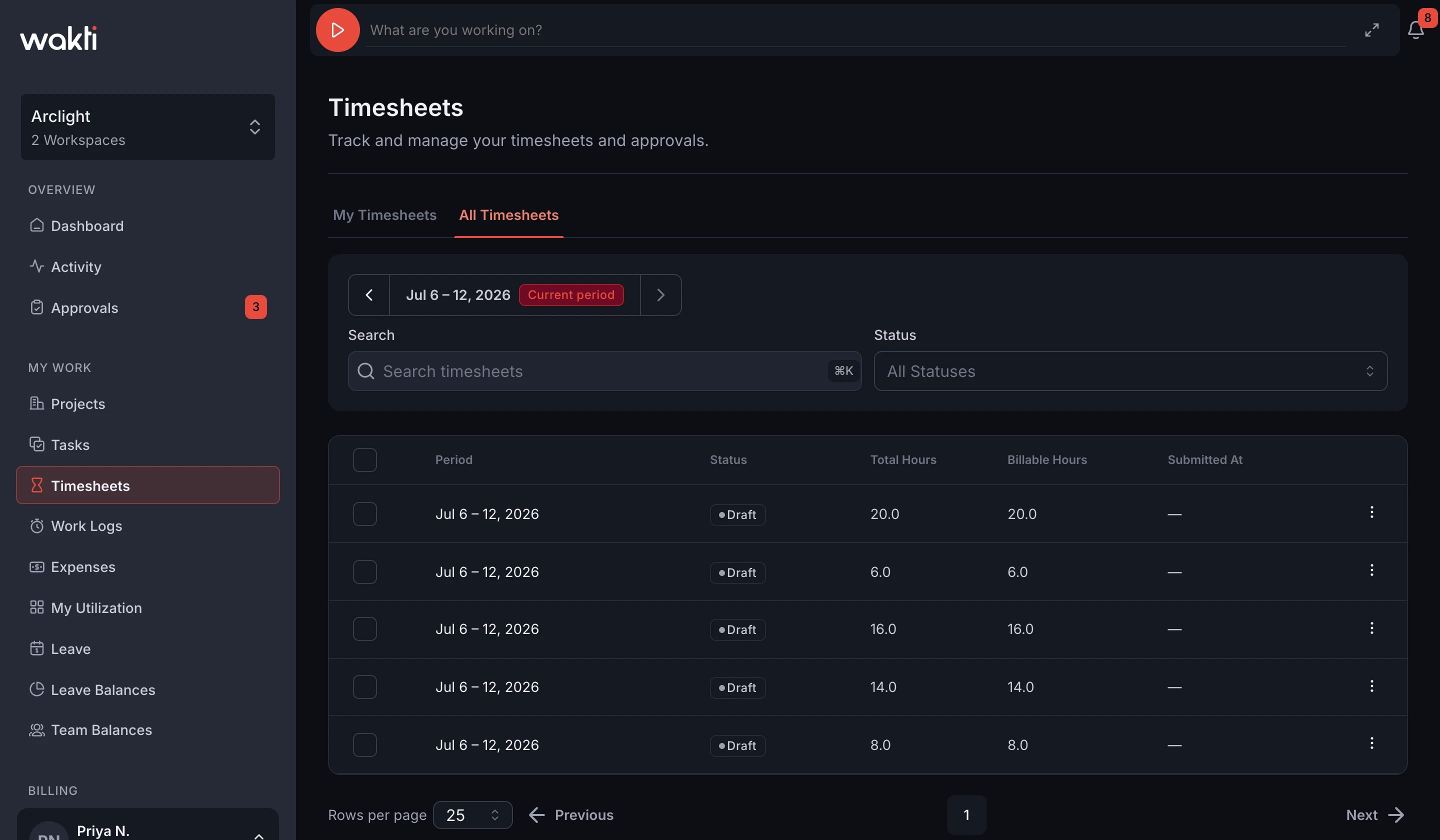
A Timesheet is your team's weekly accountability snapshot. Every work log for the week is laid out day by day — so team members can spot gaps, fix wrong entries, and add any missing logs before clicking submit. Nothing moves to billing until it's been reviewed.
- Daily grid shows every work log for the week
- Billable entries marked with a teal dot
- Total and billable hours summarised at the bottom
- Edit or delete any entry before submitting
- One-click submit sends to manager for approval
Submit once. Approve with confidence.
A simple three-step flow ensures every hour is verified by the person who did the work and approved by the person responsible for billing accuracy.
Team member logs work
Throughout the week, team members log individual work entries against tasks — with duration, notes, and billable flag. Entries appear instantly in the weekly timesheet draft.
Timesheet submitted for review
When the week is complete, the team member reviews all entries, makes any corrections, then submits. The manager receives a notification and the timesheet is locked from further editing.
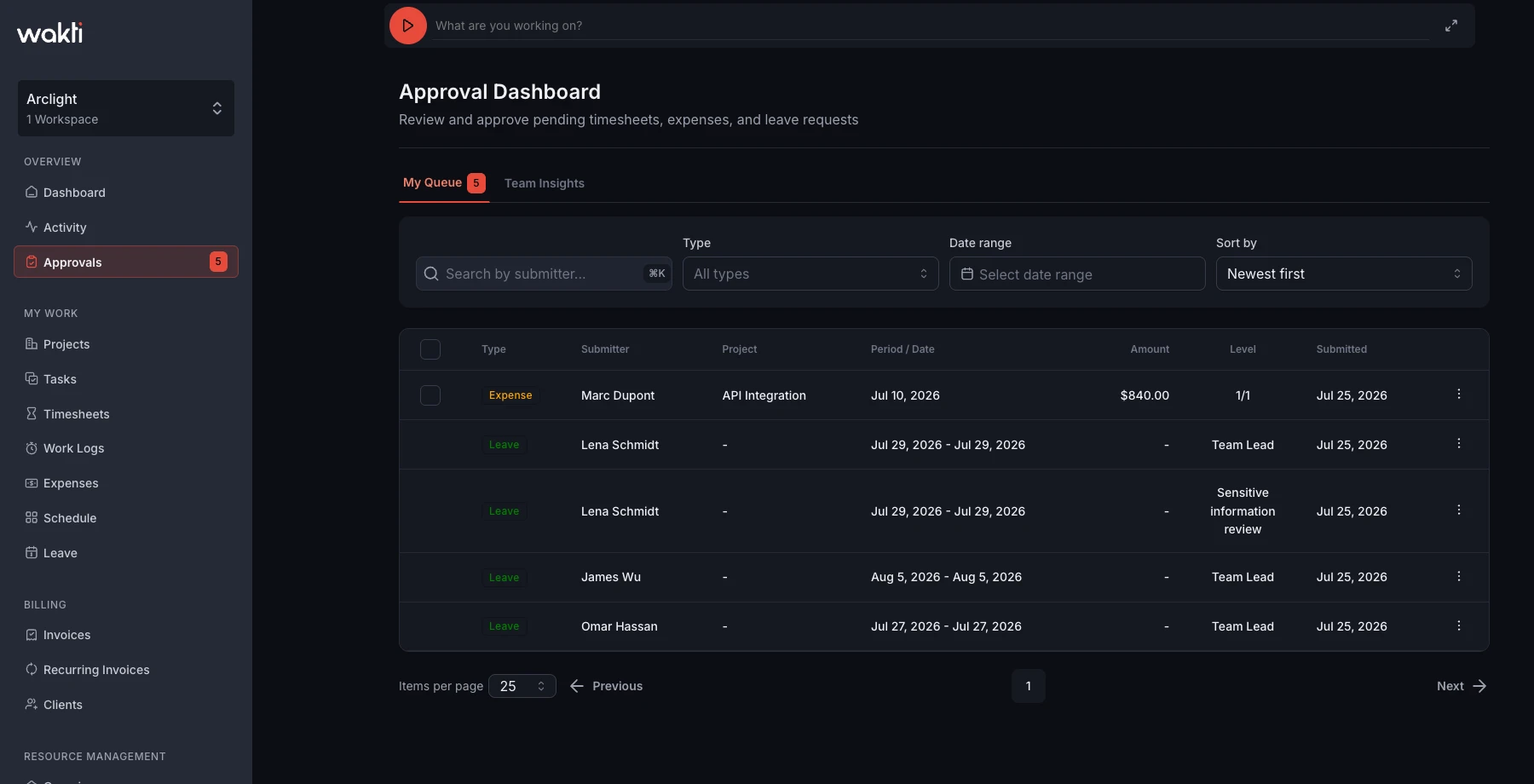
Manager approves or sends back
The manager reviews the week's entries — hours, tasks, billable flags — and either approves or rejects with a comment. Approved timesheets feed into billing calculations and the financial dashboard.
See the financial picture — not just the hours
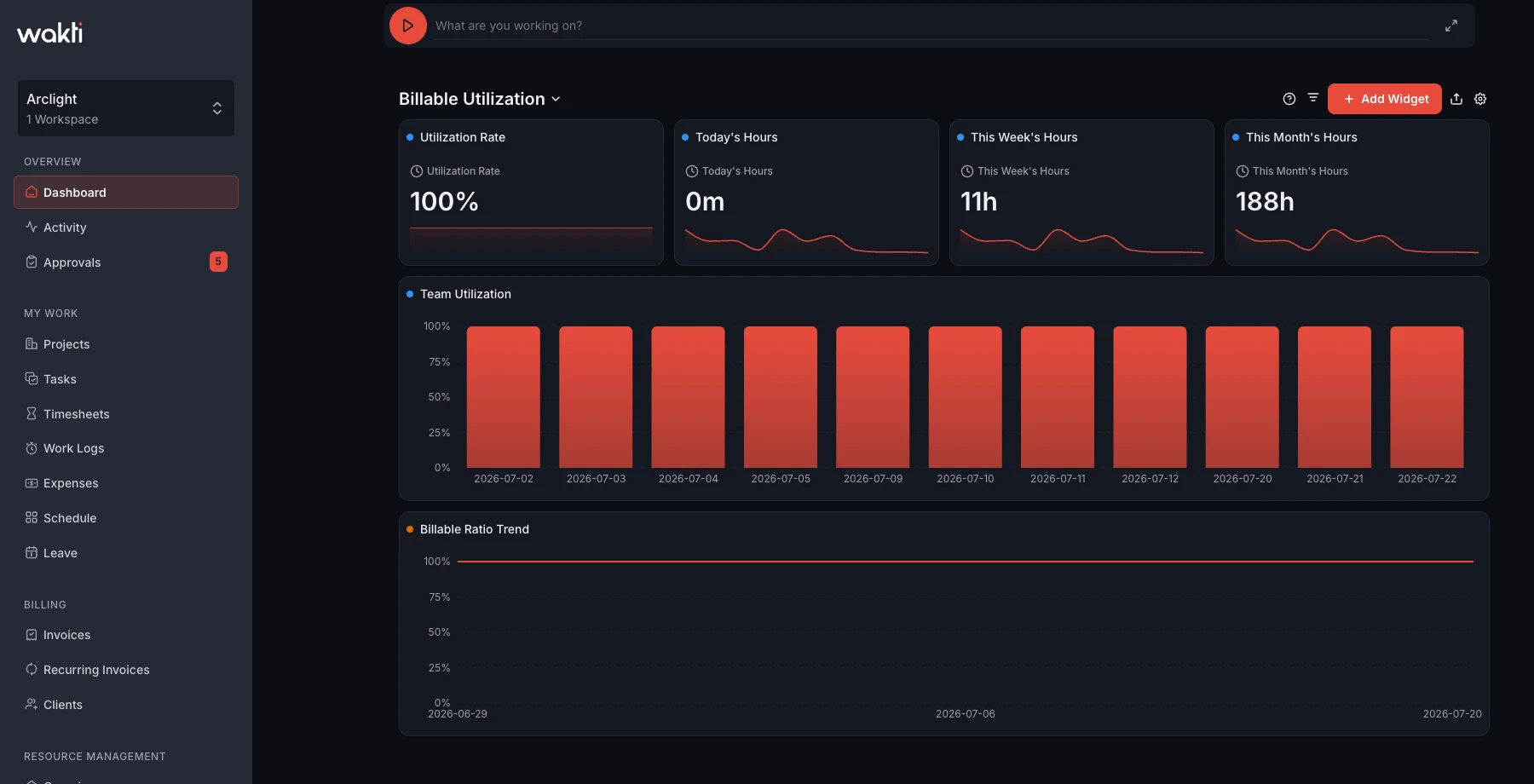
Team members see their own time. Managers see more. Revenue, outstanding invoices, and daily hours trends — all in configurable dashboard widgets. No spreadsheets, no manual aggregation.
- Revenue and outstanding invoices tracked in real time
- Daily hours trend across the whole team
- Client revenue ranking surfaces where the money's coming from
- Widgets are configurable — add, remove, or rearrange to fit how you work
Your team's billable work,
finally in one place
We're putting the finishing touches on Wakti. Join the waitlist and we'll email you the moment it's ready.
Built for agencies, consultancies & professional services teams